
ZC777 Game Download – Latest APK Version, Login and Registration Guide in Pakistan
Description
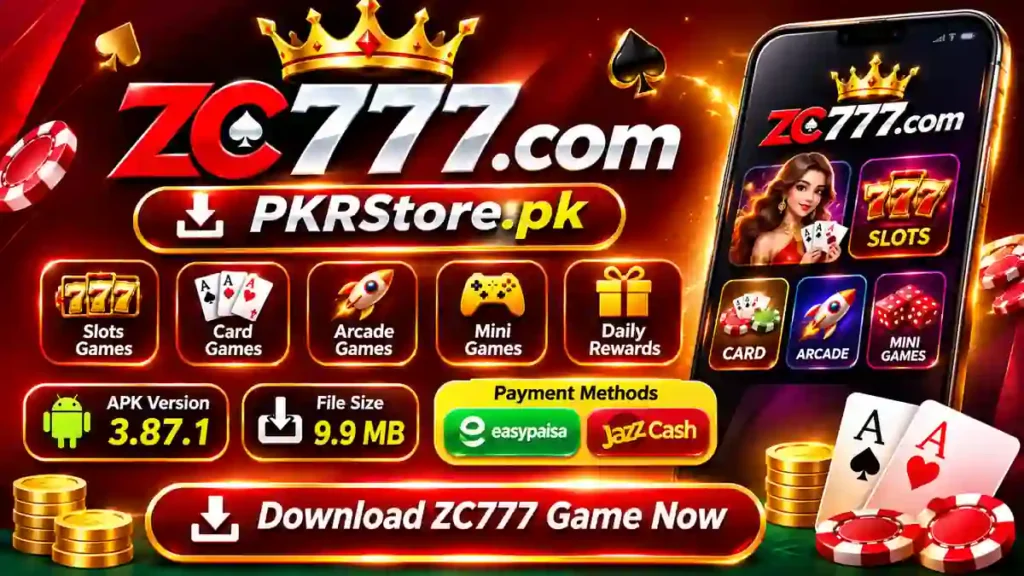
ZC777 Game is an Android gaming platform that you may well come across in Pakistan as part of your search for mobile gaming and online gaming. The most recent APK details for this guide are version 3.87.1 (9.9MB). This article walks you through how to check out the ZC777 Game download, how to install the APK, how to register an account, how to get to the login page and what the Easypaisa and JazzCash payment options. 388Win
What Is ZC777 Game?
ZC777 Game is the name of an online gaming site that gets a fair bit of search traffic from Android users looking for game access, account registration and the like.
People search for information on this service using all sorts of search phrases such as ZC777, 777zc, ZC777 Game and ZC777.com. That can in turn lead you to different sites so it’s important to check the actual domain before you enter any personal details.
The real features of the platform should be judged by the app and website itself. Don’t just go on the marketing material when deciding whether to download an APK or sign up.
ZC777 APK Latest Version and Technical Details
Before you go and download an Android app it’s always worth knowing what version it is, what its file size is and what format it’s for on your device. The following table contains the details for the ZC777 APK.
| App Information | Details |
| Application Name | ZC777 Game |
| Latest Listed Version | 3.87.1 |
| APK File Size | 9.9 MB |
| Application Format | APK |
| Device Compatibility | Android |
| Website | ZC777.com |
| Main Category | Online Gaming |
| Payment Options | Easypaisa, JazzCash |
| Target Audience | Pakistani Android users |
| Installation Method | APK Installation |
Version info: the version supplied with the article is 3.87.1 and the size is 9.9MB. Check the actual file you’ve downloaded to confirm that these are the details of the file you have.
How to Download ZC777 Game APK for Android
Users looking for the ZC777 game download for Android are generally after a simple way of finding the app and getting it onto their phone.
APK files are installed in a different way to apps that you download via Google Play. Checking the source and file info is therefore a crucial step.
Follow this general process:
- Visit the ZC777 related site (whose domain and publisher you’ve independently verified).
- Go to the Android download section.
- Check whether the version displayed is 3.87.1
- Compare the APK size with the 9.9MB that’s listed.
- Download the file only if the source is trustworthy.
- Scan the APK with a decent mobile security tool.
- Review the requested permissions prior to installation.
Don’t download any modified or unofficial versions from random websites. The fact that the APK has a matching filename or a matching app logo in no way guarantees that it’s the genuine article.
How to Install ZC777 APK on an Android Phone
Once you’ve got a file from a source you trust you can then just go ahead and do the standard Android install.
- Open the Downloads folder on your phone.
- Find the ZC777 APK file.
- Tap the file to run the Android installer.
- Just review the installation request and the application information.
- Allow installation from that source only if you have verified it.
- Finish the install and launch the app.
If Android gives you a security warning then don’t just go ahead and ignore it. Check the source and the permissions before you proceed. You should also be wary of granting access to your SMS, your contacts or your accessibility services unless there’s a very good reason for doing so.
ZC777 Game Register – How to Create a New Account
New folk looking for the ZC777 Game Register or a ZC777 account creation guide should first check that they’re on the right site.
If a registration facility is available, the general process may involve these steps:
- Open the ZC777 website or app (the verified one).
- Find the Register or Sign Up section.
- Enter the information requested on the registration form.
- Create a strong password that you don’t use anywhere else.
- Complete the verification if that’s what’s required.
- Read the Account Terms and Privacy Conditions.
- Just submit the registration form once you’ve checked your details.
Do not give your CNIC, your OTP, your bank PIN or any other sensitive information to any unofficial agent. The service provider should clearly state what the registration requirements are.
ZC777 Login – Accessing an Existing Account
The ZC777 login facility is for people who already have an account. If you’re looking for a ZC777 com login or a ZC777 login Pakistan then you can use the following general guidance should the site have an accessible login page.
- Just visit the site you’ve checked out and confirmed.
- Select the Login option.
- Enter your registered username, mobile number or other required identifier.
- Type your account password.
- Complete any verification step that’s displayed.
- Just submit your details and wait for the confirmation.
If the page won’t open then check your internet connection and the website address. Don’t just go and enter your password on some other domain simply because it has a similar ZC777 name.
Easypaisa and JazzCash Payment Options in Pakistan
Local mobile wallets are a big consideration for Pakistani users when they’re looking at online gaming sites. The two payment methods listed in this ZC777 guide are Easypaisa and JazzCash.
Both are well known mobile payment services in Pakistan and their general availability doesn’t in itself mean that a particular game will have an approved and working payment option integrated.
Easypaisa Deposit and Withdrawal Information
Users looking for ZC777 Easypaisa deposit options should check the wallet section of the app for the actual payment instructions.
Before making a transaction:
- Confirm that Easypaisa is shown as an option.
- Review the minimum and maximum transaction limits.
- Check the recipient details carefully.
- Understand any applicable transaction fees.
- Keep the payment reference for your records.
For withdrawals, check that Easypaisa is in fact supported, what the verification requirements are and whether there are any processing conditions.
JazzCash Deposit and Withdrawal Information
JazzCash is another payment option in the ZC777 payment details provided.
Users researching ZC777 JazzCash payment options should verify the following details before proceeding:
- Whether the wallet option is live.
- Whether the recipient details that are displayed match the recipient details that you actually intended to send the service to.
- Whether there are minimum transaction requirements?
- Whether withdrawal requests have separate conditions.
- Whether or not any fees or verification steps are required.
Never send any money into a personal wallet based solely on an unofficial WhatsApp message or social media ad.
Payment reminder: Easypaisa and JazzCash are the payment options listed as being supplied for this article. We have not independently verified their current status, successful integration, deposit limits or withdrawal facilities.
ZC777 Game Features and Entertainment Categories
The actual application interface should be checked to see what features are available. Depending on the service, the online gaming platforms may have their content in different sections.
Some common gaming categories include:
Slot style games: digital games which use reels, symbols and various visual themes.
Card Games: entertainment based on the familiar formats and rules of playing cards.
Arcade games: short gaming activities based around very simple controls and objectives.
Account Dashboard: A section where users can find their profile and account settings.
Don’t assume that every category is available on ZC777 just because some other similarly named site is promoting it.
Common ZC777 Download and Login Problems
Android users can occasionally run into problems with installation or with getting their account to work. The following table lists a few of the more common issues.
| Problem | What to Check |
| ZC777 APK not installing | Check file integrity and Android compatibility |
| Application not opening | Restart the phone and check for errors |
| ZC777 login not working | Recheck your account credentials |
| Verification code missing | Check your mobile network |
| Download interrupted | Check your internet connection |
| Payment not reflected | Keep the transaction reference and contact the relevant provider |
Don’t keep sending the payment if the first one is still pending. Check with the payment provider as to the status of that first transaction first.
Is ZC777 safe for Android users in Pakistan?
An app’s name, its pretty interface or small APK size in no way guarantees it’s safe. You have to look at the developer, the website that it’s on, the privacy policy and the permissions that it’s asking for.
There are also significant legal considerations. Online gambling and real money betting are subject to financial and legal risk in Pakistan. You should check the relevant laws and restrictions prior to accessing such services.
PKRStore.pk is an independent information website and does not operate ZC777, manage player accounts or in any way guarantee deposits, withdrawals or winnings.
Frequently Asked Questions (FAQs)
1. What’s the latest ZC777 APK version?
The version supplied in the guide is 3.87.1. Check the actual app file prior to installing to confirm the version.
2. What is the ZC777 APK file size?
The supplied APK file is 9.9MB. As always you should check the actual files you’ve downloaded before opening them.
3. How do I download ZC777 game in Pakistan?
Find a website whose identity and APK source you can verify, check the version and file info and then follow the Android install instructions.
4. How do I complete the ZC777 game registration?
If registration is available then log into the verified platform, select Register, enter the required details and complete any required verification.
5. How can I use ZC777 com login?
Open the verified login page and enter the details of your existing account.
6. Does ZC777 support Easypaisa and JazzCash?
Easypaisa and JazzCash are the two payment options available for this guide. You should check within the platform to confirm their current availability and withdrawal capability.
7. Is ZC777 available for Android phones?
The app info provided for this article lists APK as the install format and Android as the platform. Always check device compatibility prior to installing.
8. What’s the difference between ZC777, 777zc and ZC7777?
These are different search variations on the ZC777 name. They should not be automatically treated as separate verified apps or as separate official websites.
Final Verdict
ZC777 Game is a platform that Pakistani Android users may come across when doing their research into mobile gaming apps. The technical specs provided in this guide are APK version 3.87.1 and a file size of 9.9MB. The stated payment methods are Easypaisa and JazzCash.
Before downloading, registering or making any transaction, verify the website, application publisher, payment conditions and applicable legal requirements. PKRStore.pk aims to provide clear and practical information so readers can assess unfamiliar Android gaming services more carefully.
Download links
How to install ZC777 Game Download – Latest APK Version, Login and Registration Guide in Pakistan APK?
1. Tap the downloaded ZC777 Game Download – Latest APK Version, Login and Registration Guide in Pakistan APK file.
2. Touch install.
3. Follow the steps on the screen.